example.com
https://example.com/ scanned 13 November 2026 at 15:09 (Toronto time)
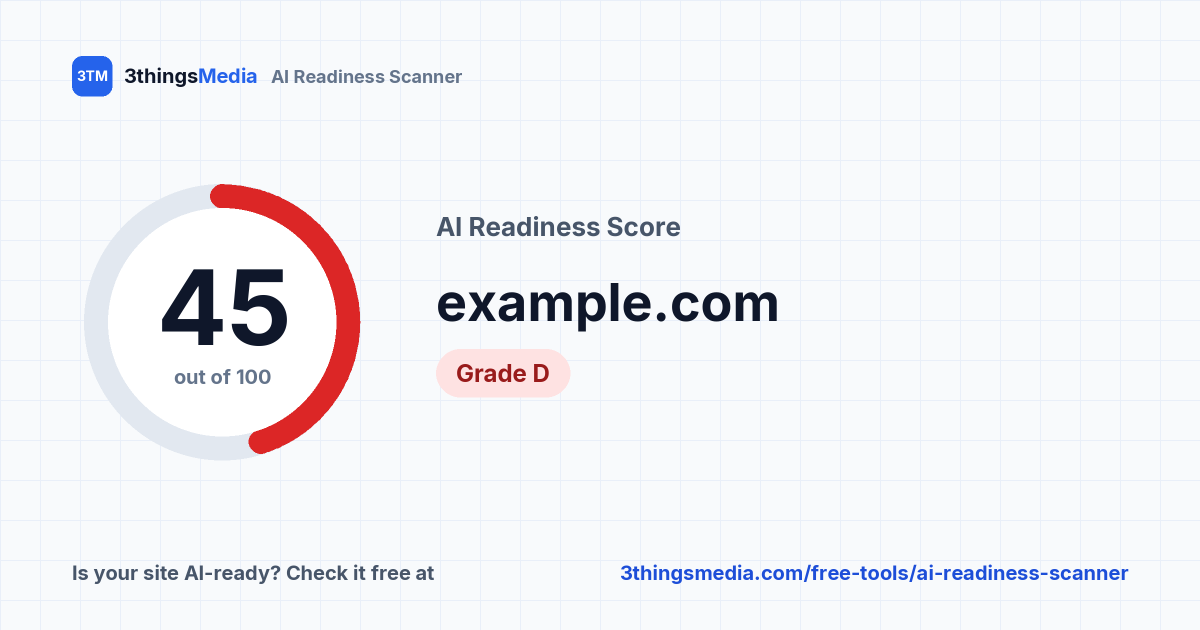
AI crawlers see almost no text on this page.
Working well: the page has open access for the AI crawlers that answer questions, a well-sized page title and a fast server response.
Holding it back: The HTML has almost no text, there are no headings in the HTML, and the meta description is missing.
Crawler access
An AI tool can only cite pages its crawler is allowed to fetch. We read your robots.txt rules for each crawler, then send a test request as that crawler to catch firewall blocks.
No robots.txt found, so all crawlers are allowed by default.
Live-answer crawlers
Fetch your page in real time when someone asks a question. Blocking these stops AI tools from citing you.
- OAI-SearchBot OpenAI (ChatGPT search) Allowed No robots.txt, so allowed by default; test request returned 200.
- ChatGPT-User OpenAI Allowed No robots.txt, so allowed by default; test request returned 200.
- Claude-SearchBot Anthropic Allowed No robots.txt, so allowed by default; test request returned 200.
- Claude-User Anthropic Allowed No robots.txt, so allowed by default; test request returned 200.
- PerplexityBot Perplexity Allowed No robots.txt, so allowed by default; test request returned 200.
Training crawlers
Collect content to train future models. Blocking these is a legitimate choice, so it costs fewer points.
- GPTBot OpenAI Allowed No robots.txt, so allowed by default; test request returned 200.
- ClaudeBot Anthropic Allowed No robots.txt, so allowed by default; test request returned 200.
- CCBot Common Crawl Allowed No robots.txt, so allowed by default; test request returned 200.
- Google-Extended Google Allowed No robots.txt, so allowed by default. Google crawls with Googlebot; this token only controls AI training use.
- Applebot-Extended Apple Allowed No robots.txt, so allowed by default. Apple crawls with Applebot; this token only controls AI training use.
Indexing directives
AllowedNo noindex directive found. (5 / 5)
About "likely blocked": our test requests come from our server, not from the AI company's own. Some firewalls verify crawlers by IP address, so a result here is worth checking in your host or CDN settings rather than a certainty. Robots.txt results are exact.
Readability
Most AI crawlers read the HTML your server sends and don't run JavaScript. If your content only appears after scripts load, they see an empty page.
- 200 OK
- Page response
- 25
- Words without JavaScript
- Not found
- Empty app shell
- 0.3 s
- Response time
- No H1 or H2 headings with text in the HTML.
Clarity
When an AI can read your page, these signals help it understand who you are, what you do and where, and connect your site to the rest of your online presence.
-
Page title : Pass “Example Domain”
-
Meta description : Missing No meta description found
-
One clear H1 : Missing No H1 heading found
-
Canonical URL : Missing No canonical tag found
-
Phone number : Missing No phone number found in the page text, links or schema
-
Street address : Missing Not found in the page text or schema
-
Structured data : Missing No JSON-LD structured data found
-
Profile links : Missing Schema has no sameAs links to your Google, social or review profiles
-
FAQ markup : Pass No FAQ section found; nothing to mark up
-
Freshness : Missing No visible or structured “last updated” date
What to fix first
Ordered by how many points each fix is worth.
-
+20 pts
Put your content in the HTML
Most AI crawlers don't run JavaScript. Use server-side rendering or prerendering so the text is in the page your server sends.
-
+5 pts
Add real headings
Use an H1 and H2s in the HTML so crawlers can see the page structure.
-
+3 pts
Add a meta description
Write 50 to 170 characters summarising what the page offers and who it's for. Search engines and AI tools often use it as the page summary.
-
+3 pts
Add one clear H1
Give the page a single H1 that says what the page is about, such as your main service and location.
-
+3 pts
Add a canonical URL
Add a <link rel="canonical"> tag pointing to this page's preferred address, so crawlers know which version to use.
Share your score
Your report has its own link. When you paste it into LinkedIn, Slack or a text message, the score card shows automatically.
Link preview image
Badge for your website
 Links back to this report.
How this score works
Scoring
Crawler access is worth 40 points, readability 30 and clarity 30. If every live-answer crawler is blocked, or the page has a noindex directive, the score is capped at 40, because nothing else matters until that's fixed. A page with almost no text in its HTML is capped at 45.
What it can't tell you
Whether AI tools currently mention or recommend you. That depends on reviews, reputation and how often you're discussed elsewhere. A high score means nothing on your page is standing in the way.
What we scan
One page and your robots.txt, nothing else. Other pages on your site may score differently, so scan your most important ones individually.
What we store
The address scanned (without any query string), the results and the time. We don't store your IP address; rate limits use a one-way hash of it. Public lists show the domain only, and only when the person scanning chose to list it.
About the crawler tests
Our test requests use each crawler's user-agent but come from our server. A firewall that checks crawler IP addresses will treat them differently from the real crawler, which is why those results say "likely".
What about llms.txt?
It isn't scored, because no major AI provider has confirmed using it. If you'd like one anyway, our free llms.txt generator makes one in a couple of minutes.