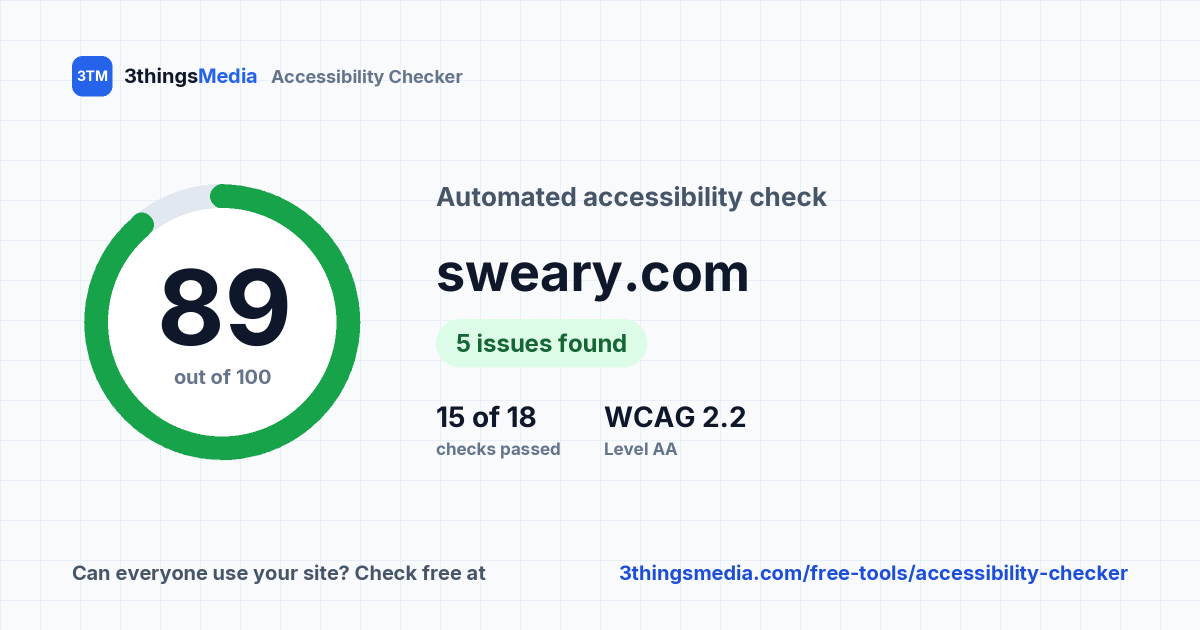
sweary.com
https://sweary.com/ checked 13 November 2026 at 18:41 (Toronto time)
A few accessibility problems found. Most are quick fixes in the page's HTML.
- 5
- Problems found
- 1
- To review
- 15 of 18
- Checks passed
- WCAG 2.2 AA
- Tested against
Automated checks find roughly a third of accessibility problems, so this isn't a compliance certificate. Fix what's listed here, then work through the manual checks to cover the rest.
What to fix first
Definite problems first, then by how badly they affect people.
-
Give icon links a name
Links that are just an icon or image need text: add alt text to the image, or aria-label="Facebook" on the link.
WCAG 2.4.4 · A Link Purpose (In Context), opens in a new tab Critical · 4 elements
-
Add a skip link or <main> landmark
Wrap the main content in a <main> element, and add a "Skip to main content" link as the first item on the page so keyboard users can jump past the menu.
WCAG 2.4.1 · A Bypass Blocks, opens in a new tab Serious · 1 element
-
Tidy up your headings
Use one H1 for the page topic, then H2s for sections and H3s inside those, without skipping levels. Don't use heading tags just to make text big, and don't leave them empty.
WCAG 1.3.1 · A Info and Relationships, opens in a new tab Moderate · 1 element to review
All 25 checks
Each check is linked to the WCAG 2.2 success criterion it tests. Open a check to see the elements involved.
Problems found (2)
These fail a WCAG success criterion and should be fixed.
-
Links have text: Fail WCAG 2.4.4 · A Link Purpose (In Context), opens in a new tabCritical 4 links have no text, often an icon or image without alt text.
Show elements
<a href="#" target="_blank" class="facebook-btn"><a href="#" target="_blank" class="twitter-btn"><a href="#" target="_blank" class="reddit-btn"><a href="#" target="_blank" class="whatsapp-btn">
-
Way to skip to the main content: Fail WCAG 2.4.1 · A Bypass Blocks, opens in a new tabSerious No <main> landmark or skip link, so keyboard users must tab through the whole menu on every page.
Worth reviewing (1)
Likely problems we can't confirm from the HTML alone. Check each one.
-
Headings are structured: Review WCAG 1.3.1 · A Info and Relationships, opens in a new tabModerate 1 heading skips a level (for example H2 to H4).
Show the element
<h4 class="modal-title" id="shareInsultModalLabel">Share this insult
Passed (15)
Show
No problems found for these checks.
-
Images have text alternatives: Pass WCAG 1.1.1 · A Non-text Content, opens in a new tabCritical All 54 images have an alt attribute.
-
Buttons have names: Pass WCAG 4.1.2 · A Name, Role, Value, opens in a new tabCritical All 7 buttons have a name.
-
Zooming is allowed: Pass WCAG 1.4.4 · AA Resize Text, opens in a new tabCritical The page doesn't block zooming.
-
Page language is set: Pass WCAG 3.1.1 · A Language of Page, opens in a new tabSerious Language set to "en".
-
Page has a title: Pass WCAG 2.4.2 · A Page Titled, opens in a new tabSerious “Insult Generator: WARNING! - You WILL Laugh with sweary.com”
-
Labels and ARIA point to real elements: Pass WCAG 1.3.1 · A Info and Relationships, opens in a new tabSerious All 1 references point to a single, existing element.
-
No hidden content you can tab to: Pass WCAG 4.1.2 · A Name, Role, Value, opens in a new tabSerious Nothing hidden with aria-hidden can receive keyboard focus.
-
No timed refresh or redirect: Pass WCAG 2.2.1 · A Timing Adjustable, opens in a new tabSerious The page doesn't refresh itself on a timer.
-
Alt text looks meaningful: Pass WCAG 1.1.1 · A Non-text Content, opens in a new tabModerate None of the 54 alt texts look like file names or placeholders.
-
Link text makes sense on its own: Pass WCAG 2.4.4 · A Link Purpose (In Context), opens in a new tabModerate No vague link text like "click here" or "read more".
-
ARIA roles are valid: Pass WCAG 4.1.2 · A Name, Role, Value, opens in a new tabModerate All 3 ARIA roles are valid.
-
Tab order isn't forced: Pass WCAG 2.4.3 · A Focus Order, opens in a new tabModerate No positive tabindex values.
-
Lists are marked up correctly: Pass WCAG 1.3.1 · A Info and Relationships, opens in a new tabModerate All list items are inside a list.
-
No scrolling or blinking text: Pass WCAG 2.2.2 · A Pause, Stop, Hide, opens in a new tabModerate No <marquee> or <blink> elements.
-
Focus outlines aren't removed: Pass WCAG 2.4.7 · AA Focus Visible, opens in a new tabModerate No focus outlines removed in the page's own inline styles. Separate stylesheets aren't checked; test with the Tab key.
Not applicable (7)
Show
The page has nothing these checks apply to.
-
Form fields have labels: Not applicable WCAG 4.1.2 · A Name, Role, Value, opens in a new tabCritical No form fields found.
-
Embedded frames have titles: Not applicable WCAG 4.1.2 · A Name, Role, Value, opens in a new tabSerious No embedded frames found.
-
No sound plays automatically: Not applicable WCAG 1.4.2 · A Audio Control, opens in a new tabSerious No video or audio elements found.
-
Videos have captions: Not applicable WCAG 1.2.2 · A Captions (Prerecorded), opens in a new tabSerious No self-hosted videos found.
-
Labels don't rely on placeholders: Not applicable WCAG 3.3.2 · A Labels or Instructions, opens in a new tabModerate No form fields found.
-
Data tables have headers: Not applicable WCAG 1.3.1 · A Info and Relationships, opens in a new tabModerate No data tables found.
-
Personal details fields support autofill: Not applicable WCAG 1.3.5 · AA Identify Input Purpose, opens in a new tabModerate No name, email, phone or address fields found.
Check these by hand
These need a person to judge. Most take a couple of minutes each, and together they cover the problems automated tools can't see.
-
Colour contrast WCAG 1.4.3 · AA Contrast (Minimum), opens in a new tab Text needs a contrast ratio of at least 4.5:1 against its background (3:1 for large text). Check your brand colours, light grey text and text on photos with a contrast checker. WebAIM contrast checker → (opens in a new tab)
-
Everything works with a keyboard WCAG 2.1.1 · A Keyboard, opens in a new tab Put the mouse aside and use Tab, Shift+Tab, Enter and Space. You should be able to reach and use every link, button, menu and form field.
-
You can see where you are WCAG 2.4.7 · AA Focus Visible, opens in a new tab While tabbing, there should always be a clear outline or highlight on the focused element.
-
Focus isn't hidden WCAG 2.4.11 · AA Focus Not Obscured (Minimum), opens in a new tab Sticky headers, cookie banners and chat widgets shouldn't cover the element you've tabbed to.
-
Works zoomed to 400% WCAG 1.4.10 · AA Reflow, opens in a new tab Zoom your browser to 400% on a desktop. Content should reflow into one column without sideways scrolling or cut-off text.
-
Buttons and fields are visible WCAG 1.4.11 · AA Non-text Contrast, opens in a new tab Field borders, icons and button outlines need 3:1 contrast against the background so people can see where to click.
-
Buttons are big enough to tap WCAG 2.5.8 · AA Target Size (Minimum), opens in a new tab Buttons and links should be at least 24 × 24 pixels, or have enough space around them, so they're easy to hit.
-
Alt text is accurate WCAG 1.1.1 · A Non-text Content, opens in a new tab We can see whether images have alt text, not whether it's right. Read it back: does it describe what matters in the image?
-
Form errors are explained WCAG 3.3.1 · A Error Identification, opens in a new tab Submit a form with mistakes. Errors should say what's wrong in text, next to the field, not just turn it red.
-
Captions are correct WCAG 1.2.2 · A Captions (Prerecorded), opens in a new tab Watch your videos with captions on. Auto-generated captions need checking, especially names and numbers.
Share this report
Send the link to your web developer or agency. When you paste it into LinkedIn, Slack or an email, this card shows automatically.
How this check works
The standard
We test against WCAG 2.2 Level AA, the current Web Content Accessibility Guidelines. Ontario's AODA requires WCAG 2.0 AA; the US ADA rules and the EU's EN 301 549 point to 2.1 AA. WCAG 2.2 builds on both, so meeting it covers them.
What we check
We read the page's HTML, the way a screen reader receives it, and run 25 checks: text alternatives, labels and names, page language and title, headings, landmarks, ARIA, media, zoom and more.
What it can't tell you
Whether colours have enough contrast, whether alt text is accurate, or whether everything works with a keyboard. We don't run JavaScript, so content a script adds later isn't checked. That's why the manual checks matter.
What we store
The address checked (without any query string), the results and the time. We don't store your IP address; rate limits use a one-way hash of it. Need a full manual audit? Talk to us.